

IPv4 frente a IPv6: ¿cuál es la diferencia y cuál estoy usando?
IPv4 frente a IPv6: ¿cuál es la diferencia y cuál estoy usando?
IPv4 e IPv6 son dos versiones del Protocolo de Internet usadas para direccionar dispositivos en las redes. Un comprobador de IP pública informa de la dirección que llegó a ese comprobador en esa solicitud: puede ser IPv4, IPv6 o (en redes de doble pila) la ruta que usó la conexión.
Este artículo explica la diferencia práctica, cómo leer los formatos y cómo saber cuál está usando, sin tratar ninguno de los dos protocolos como una garantía de privacidad.
Respuesta directa
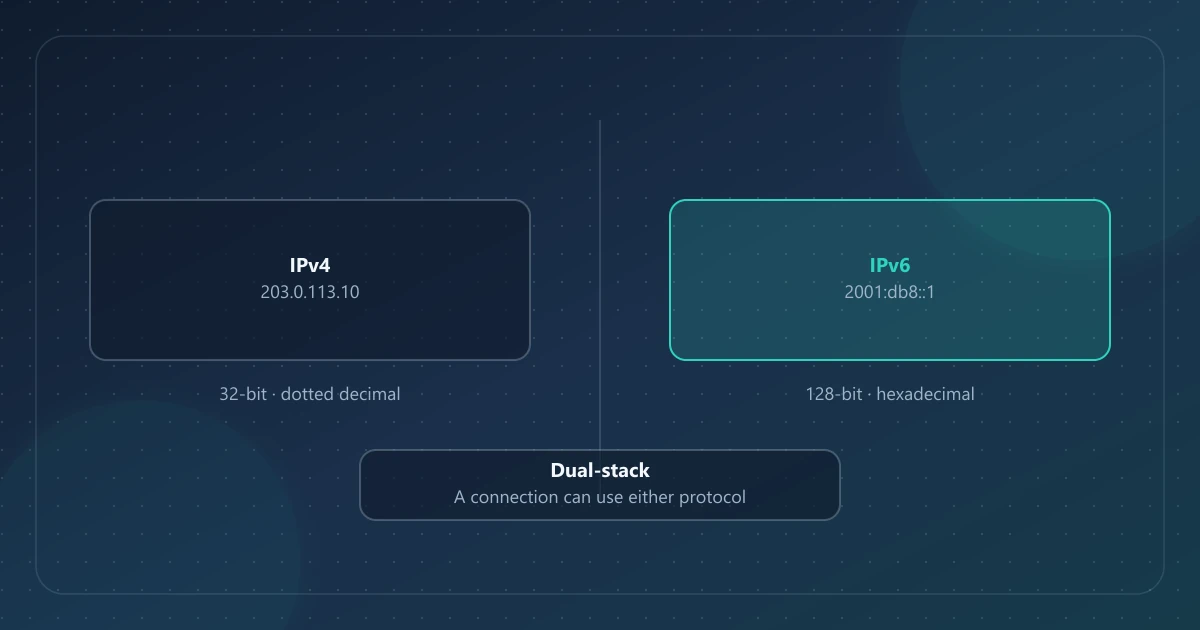
IPv4 usa direcciones de 32 bits escritas como cuatro números decimales (por ejemplo 203.0.113.10). IPv6 usa direcciones de 128 bits escritas como grupos hexadecimales separados por dos puntos (por ejemplo 2001:db8::1). IPv6 existe porque el espacio de direcciones de IPv4 es demasiado pequeño para Internet actual. Muchas redes ejecutan ambos (doble pila). Una página de «cuál es mi IP» muestra el protocolo usado en esa carga de página, no un inventario completo de todas las direcciones que su dispositivo podría tener.
Qué es IPv4
IPv4 es el sistema de direccionamiento del Protocolo de Internet originalmente desplegado a gran escala, especificado en RFC 791. Una dirección IPv4 tiene 32 bits, lo que da unos 4300 millones de valores posibles. Eso parecía suficiente en los inicios de Internet; no basta para que cada teléfono, sensor y máquina virtual tenga una dirección pública única.
Como el espacio IPv4 público es escaso, las redes suelen compartir direcciones IPv4 públicas mediante NAT. Por eso un portátil doméstico suele tener una dirección IPv4 privada mientras los sitios web ven una dirección IPv4 pública distinta. Consulte IP públicas frente a IP privadas.
Qué es IPv6
IPv6 es la arquitectura de direccionamiento sucesora, especificada en RFC 8200. Una dirección IPv6 tiene 128 bits. Ese espacio es lo bastante grande para que las redes asignen direcciones globales con más generosidad, sin depender de NAT al estilo IPv4 para cada host.
IPv6 no significa que un dispositivo sea alcanzable de forma pública para conexiones de entrada no solicitadas. Los cortafuegos y la política del proveedor siguen decidiendo qué se permite. Una dirección IPv6 de unidifusión global sigue siendo una etiqueta de enrutamiento, no una dirección postal ni una persona.
Cómo se ven las direcciones
| IPv4 | IPv6 | |
|---|---|---|
| Longitud | 32 bits | 128 bits |
| Escritura típica | Cuatro octetos decimales: 203.0.113.10 | Ocho grupos hexadecimales, con :: comprimiendo ceros: 2001:db8::1 |
| Ejemplos de documentación | TEST-NET-3 en RFC 5737 | 2001:db8::/32 en RFC 3849 |
| Primos privados / locales | Rangos de RFC 1918 como 192.168.0.0/16 | Direcciones locales únicas bajo fd00::/8 (RFC 4193) |
Los ejemplos 203.0.113.10 y 2001:db8::1 son direcciones de documentación, no extremos públicos en servicio. Si su comprobador muestra un patrón similar con dígitos distintos, está viendo una dirección realmente asignada en el mismo formato.
Por qué IPv4 se quedó corto—y por qué existe IPv6
El espacio de 32 bits de IPv4 no puede dar una dirección pública única a cada dispositivo conectado. Los registros regionales de Internet agotaron las asignaciones IPv4 de libre disponibilidad hace años; el IPv4 restante se reutiliza, se transfiere o se comparte.
IPv6 restaura margen para numerar hosts a escala mundial. La adopción es desigual: algunos ISP y redes móviles prefieren IPv6 hacia muchos destinos; algunos sitios y herramientas siguen hablando IPv4 primero. Ejecutar ambos a la vez es normal, no una mala configuración.
IPv4 pública frente a IPv6 pública
Una dirección IPv4 pública es un origen o destino IPv4 orientado a Internet procedente de espacio enrutado a escala mundial (no RFC 1918, no loopback, no el espacio compartido CGNAT típico). Una dirección IPv6 pública en el uso cotidiano de «cuál es mi IP» suele ser una dirección de unidifusión global: el origen que llegó al servicio remoto por IPv6.
No son dos grafías del mismo número. Los hosts de doble pila pueden tener ambas, y distintos sitios web pueden ver protocolos distintos.
El NAT de grado operador (CGNAT) es sobre todo una técnica de compartición IPv4 (RFC 6598 espacio de direcciones compartido 100.64.0.0/10). IPv6 no necesita ese mismo apaño, pero un usuario puede seguir estando en IPv6 hacia algunos sitios y en IPv4 compartida hacia otros.
Cómo saber cuál está usando
1. Lea la dirección que devuelve un comprobador público
Abra IPinfoLabs (u otro comprobador) y mire la cadena de IP pública:
- Cuatro grupos decimales separados por puntos → esa solicitud usó IPv4
- Grupos hexadecimales separados por dos puntos → esa solicitud usó IPv6
IPinfoLabs muestra la dirección pública usada en la solicitud de consulta. No imprime una etiqueta aparte «IPv4» / «IPv6»; el formato de la dirección es el indicador.
2. Recuerde que es específico de la ruta
El comprobador informa de la dirección de origen que llegó a ese servicio. Otro sitio, o el mismo sitio en otra red, puede usar el otro protocolo. Los clientes de doble pila suelen preferir IPv6 cuando el destino tiene un registro AAAA, pero Happy Eyeballs y la política local aún pueden elegir IPv4.
3. Compare antes de asumir que una VPN «falló»
Si una VPN es solo IPv4, el tráfico IPv6 podría seguir saliendo por su ISP salvo que el cliente VPN y el sistema operativo estén configurados para gestionar IPv6. Un comprobador que prefiera IPv6 podría entonces seguir mostrando una dirección IPv6 del ISP. Ese es un escenario de fuga de doble pila, no una prueba de que IPv6 sea «más anónimo».
4. Consulte el router solo como segunda opinión
Las páginas de estado WAN pueden listar IPv4, IPv6 o ambas. Una IPv4 WAN en 100.64.0.0/10 puede discrepar de un comprobador público por el CGNAT. Para «¿qué ve este sitio web?», confíe en el comprobador para la ruta de ese sitio.
Doble pila, en lenguaje claro
Doble pila significa que la red puede usar IPv4 e IPv6. Su teléfono puede tener:
- Una dirección IPv4 privada en Wi‑Fi
- Una dirección IPv4 pública (posiblemente compartida) que ven los sitios solo IPv4
- Una o más direcciones IPv6 usadas hacia sitios compatibles con IPv6
Ninguno de esos hechos, por sí solo, identifica a una persona. Describen el direccionamiento en una ruta. Qué puede y no puede revelar una dirección IP cubre los límites de privacidad que se aplican a ambos protocolos.
El NAT sigue importando en IPv4
El NAT IPv4 (más precisamente NAPT) permite que muchos dispositivos compartan una dirección IPv4 pública. IPv6 reduce la necesidad de aplicar NAT a cada host, pero las redes mixtas siguen siendo habituales: direccionamiento IPv6 global más NAT IPv4 en la misma pasarela doméstica.
El NAT no es un cortafuegos completo, e IPv6 no es «sin seguridad». La política de la pasarela sigue importando. Para el panorama IPv4 privada frente a pública, quédese con IP públicas frente a IP privadas.
Ideas erróneas habituales
«IPv6 sustituyó a IPv4, así que IPv4 ya no existe.»
No. Gran parte de Internet sigue usando IPv4. Muchos usuarios ven ambas.
«IPv6 es una ubicación GPS.»
No. IPv6 sigue siendo una dirección para el enrutamiento. La ubicación aproximada, cuando se muestra, proviene de bases de datos de geolocalización: la misma clase de estimación que para IPv4. Consulte qué es la geolocalización IP.
«Si el comprobador muestra IPv4, no tengo IPv6.»
No necesariamente. Esa solicitud al comprobador usó IPv4. Su red aún puede tener IPv6 para otros destinos.
«IPv6 significa que los sitios web ven la dirección LAN de mi dispositivo.»
Una dirección IPv6 global no es lo mismo que una dirección LAN IPv4 192.168.x.x. Es la dirección de origen en esa ruta IPv6. La política del cortafuegos sigue aplicándose.
Conclusión práctica
- Lea el formato de la dirección en un comprobador público.
- Trate el resultado como el protocolo de esta solicitud, no un inventario completo.
- En redes de doble pila, las respuestas IPv4 e IPv6 pueden ser ambas correctas.
- Use IPinfoLabs para ver la dirección pública de la ruta actual y luego consulte otra dirección IPv4 o IPv6 si necesita contexto de red de esa dirección.
- Las etiquetas de ISP y organización describen la asociación de red de esa dirección: consulte qué es un ISP.
FAQ
¿Cuál es mejor, IPv4 o IPv6?
Ninguna es «mejor» para una comprobación cotidiana. IPv6 resuelve la escasez de direcciones; IPv4 sigue usándose de forma amplia. Lo que importa para un comprobador es qué protocolo usó esa conexión.
¿Puedo consultar IPv4 e IPv6 en IPinfoLabs?
Sí. La consulta manual acepta direcciones IPv4 e IPv6 asignadas a escala mundial. Las entradas privadas, reservadas o no admitidas de otro modo pueden rechazarse. El panel muestra un resultado cada vez: la dirección que detectó o consultó.
¿IPv6 me oculta de mi ISP?
No. Su ISP sigue proporcionando la conexión. Una VPN puede cambiar la dirección de origen que ven los sitios para el tráfico tunelizado; no borra cuentas, cookies ni registros de asignación del ISP.
¿Por qué discrepan dos sitios de «cuál es mi IP»?
Pueden preferir protocolos distintos, estar en redes distintas o verle a través de una VPN, un proxy o una ruta CGNAT. Compare el formato de cada resultado y si estaba en la misma red.
Referencias
- RFC 791 — Internet Protocol (IPv4)
- RFC 8200 — Internet Protocol, Version 6 (IPv6)
- RFC 4291 — IP Version 6 Addressing Architecture
- RFC 3849 — IPv6 Address Prefix Reserved for Documentation
- RFC 5737 — IPv4 Address Blocks Reserved for Documentation
- RFC 4193 — Unique Local IPv6 Unicast Addresses
- RFC 4213 — Basic Transition Mechanisms for IPv6 Hosts and Routers
- IANA IPv6 Special-Purpose Address Registry
- Cómo comprobar su dirección IP pública