

Qu’est-ce que la géolocalisation IP ? Fonctionnement et précision
Qu’est-ce que la géolocalisation IP ? Fonctionnement et précision
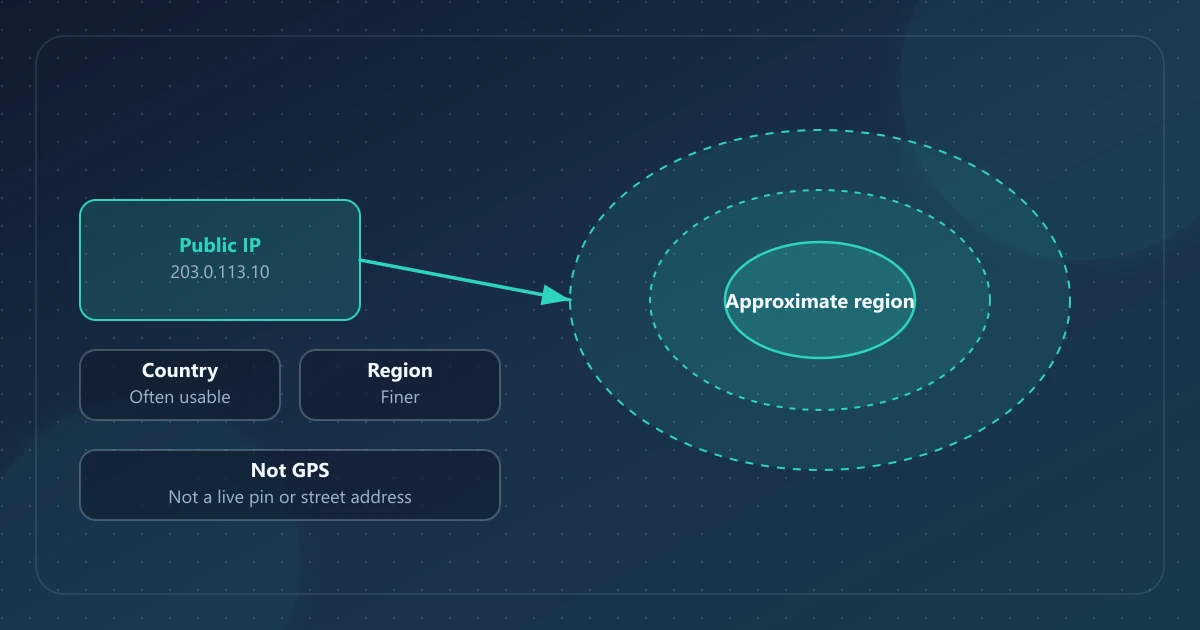
La géolocalisation IP consiste à associer une adresse IP à un lieu—typiquement un pays, et parfois une région, une ville ou des coordonnées estimées—à l’aide d’une base de données, pas d’un point satellitaire provenant de votre téléphone.
IPinfoLabs affiche le pays, la région et la ville pour une IP publique recherchée et indique cette localisation comme approximative. Les coordonnées apparaissent dans la recherche en masse comme des estimations de base de données. Aucun de ces champs n’est du GPS, une adresse postale, ni la preuve de qui est assis devant un clavier.
Réponse directe
La géolocalisation IP estime la zone géographique associée à un bloc d’adresses IP. Le pays est souvent plus stable que la ville, mais aucun niveau n’est garanti. Les résultats peuvent refléter un point de présence d’ISP, une passerelle mobile, une région cloud ou une sortie VPN—pas votre domicile. Ce n’est pas une épingle de carte en direct et cela n’identifie pas une personne. Pour ce qu’une IP peut et ne peut pas impliquer d’autre, voir Ce qu’une adresse IP peut et ne peut pas révéler.
Ce que signifie « géolocalisation IP »
Lorsqu’un outil de recherche liste un pays ou une ville à côté d’une IP, il répond : « Quel lieu ce fournisseur de données associe-t-il actuellement à cette adresse ? »
C’est différent de :
- GPS — une position rapportée par l’appareil à partir de satellites ou de capteurs similaires
- Adresse civique — une rue, un bâtiment ou un appartement issus de dossiers postaux ou d’abonné
- Fuseau horaire du navigateur — un paramètre local sur votre appareil (sur IPinfoLabs, le fuseau horaire vient de la session du navigateur, pas de la base de données IP)
Mélanger ces sources est la façon dont les gens surinterprètent un tableau de bord.
Comment fonctionnent les bases de géolocalisation IP (vue d’ensemble)
Les fournisseurs construisent des tables qui associent des plages IP à des lieux. Les entrées comprennent souvent des données de registre, des mesures de routage, des corrections soumises par des utilisateurs et des flux commerciaux. Les méthodes varient ; il n’existe pas de « GPS d’Internet » officiel unique.
Conséquences pratiques :
- Deux outils peuvent être en désaccord sur la même IP
- Les entrées peuvent être périmées après qu’un ISP réattribue un bloc
- Un bloc utilisé par de nombreux clients peut être étiqueté avec une ville-hub, pas la ville de chaque client
Cloudflare documente que la géolocalisation IP n’est pas précise à 100 % (Cloudflare : géolocalisation IP). Traitez chaque champ comme une estimation.
IPinfoLabs n’exploite pas son propre laboratoire de recherche en géolocalisation. Les résultats d’IP unique et en masse sont produits via le chemin de recherche du site en utilisant le fournisseur externe ip-api.com. Des fournisseurs différents, ou le même fournisseur à une date ultérieure, peuvent renvoyer des lieux différents.
Ce qui peut couramment être estimé
| Champ | Signification typique | Comment le traiter |
|---|---|---|
| Pays | Pays associé au bloc IP | Souvent le plus utile des champs de lieu ; peut encore être faux |
| Région | État, province ou équivalent | Plus fin que le pays ; plus facile à manquer |
| Ville | Localité nommée dans la base de données | Fréquemment un nœud réseau, pas une résidence |
| Coordonnées (lorsqu’elles sont affichées) | Une paire lat/lon stockée pour ce bloc | Pas une lecture GPS en direct |
Le tableau de bord principal d’IPinfoLabs affiche pays, région et ville. La recherche en masse (jusqu’à 50 adresses) peut aussi inclure une latitude et une longitude estimées. Le tableau de bord principal n’affiche pas de coordonnées.
Pays vs région vs ville
Pensez à la précision comme généralement décroissante à mesure que le lieu se réduit :
- Pays — le plus souvent utilisable comme contexte grossier (toujours pas garanti)
- Région — plus de détail, plus de façons de se tromper
- Ville — la plus facile à surinterpréter ; le mobile, le rural, le VPN et l’étiquetage PoP jouent tous ici
Il n’existe pas de pourcentage universel honnête (« la ville est précise à 70 % ») qui s’applique à chaque IP, chaque fournisseur et chaque jour. Si un résultat changerait une décision à fort enjeu, vérifiez avec des informations indépendantes—pas avec une seconde estimation de la même classe de base de données.
Pourquoi deux fournisseurs peuvent être en désaccord
Raisons courantes :
- Sources de données et cycles de rafraîchissement différents
- Adressage anycast ou CDN qui n’est pas « où l’utilisateur est assis »
- Sorties d’entreprise ou d’université qui géolocalisent vers le siège
- Transferts récents d’espace IP entre réseaux
- VPN, proxys et plages d’hébergement étiquetés comme la ville de la sortie
Le désaccord est un signal de ralentir, pas de moyenner les deux villes et d’appeler cela la vérité.
Infrastructure ISP, VPN et proxys
La géolocalisation IP décrit l’adresse, pas la porte d’entrée de l’abonné.
- ISP domestique — la ville peut être un PoP métropolitain desservant une large zone
- Mobile — les passerelles peuvent être loin du combiné
- VPN ou proxy — le pays et la ville décrivent généralement la sortie, ce qui est le but du tunnel
- Hébergement / cloud — la localisation correspond souvent à une région de centre de données
Connecter un VPN et voir la ville changer sur IPinfoLabs confirme que cette requête du vérificateur a utilisé une autre adresse source. Cela ne prouve pas que chaque application est tunnelisée, et cela ne localise pas une personne à l’intérieur du pays de sortie.
La géolocalisation IP n’est pas du GPS
Le GPS (et les API de localisation d’appareil similaires) estiment où se trouve l’appareil. La géolocalisation IP estime où un bloc d’adresses est associé dans une base de données.
Même lorsque la recherche en masse affiche des coordonnées, ces nombres sont une estimation stockée pour le bloc. Ils ne doivent pas être posés sur une carte comme « cet humain, maintenant ». IPinfoLabs ne fournit ni localisation au niveau de la rue, ni suivi en direct, ni adresse domicile.
Comment lire les champs de localisation d’IPinfoLabs
- Confirmez que vous regardez l’IP publique voulue (détection automatique vs recherche manuelle).
- Lisez le pays comme une géographie réseau approximative.
- Traitez la région et la ville comme un contexte supplémentaire optionnel—plus de prudence à mesure que vous affinez.
- Gardez le fuseau horaire du navigateur mentalement séparé ; ce sont des données de session locale.
- Pour plusieurs adresses, les résultats en masse peuvent ajouter des coordonnées—toujours des estimations, toujours pas du GPS.
- Pour les noms ISP/organisation à côté des champs de lieu, voir Qu’est-ce qu’un ISP ?.
Si vous n’aviez besoin que de l’adresse elle-même, comment vérifier votre IP publique parcourt le reste du tableau de bord.
Limites et usage honnête
La géolocalisation IP est utile pour :
- Un contexte régional approximatif sur une connexion
- Voir si le pays de sortie d’un VPN a changé
- Grouper une courte liste d’IP publiques par pays dans la recherche en masse
Elle n’est pas utile pour :
- Fournir une adresse domicile de type mandat
- Suivre les déplacements en direct d’une personne
- Identifier quel membre du foyer est en ligne
- Prouver un crime ou un alibi par le seul nom de ville
Les articles anxiogènes qui promettent « nous avons trouvé leur maison à partir d’une IP » sautent les enregistrements supplémentaires qu’une recherche publique n’a pas.
FAQ
La géolocalisation IP peut-elle donner mon adresse exacte ?
Non. La géolocalisation IP publique n’équivaut pas à une adresse civique. Les adresses d’abonné ou de facturation, lorsqu’elles existent, se trouvent dans les enregistrements du fournisseur—pas dans les résultats IPinfoLabs.
Pourquoi ma ville est-elle incorrecte ?
Les causes typiques incluent l’étiquetage PoP de l’ISP, les passerelles mobiles, les VPN, des lignes de base de données périmées, et l’espace IP partagé ou cloud. Le pays peut aussi être faux ; la ville est simplement plus souvent surprenante.
Le pays est-il toujours correct ?
Non. Il est souvent plus fiable que la ville, pas infaillible. L’hébergement, les VPN et les blocs mal assignés sont des exceptions courantes.
Les coordonnées de la recherche en masse signifient-elles que vous avez suivi un appareil ?
Non. Ce sont des coordonnées estimées associées au bloc IP dans les données de recherche. Ce n’est pas un point GPS en direct.
Quelle localisation dois-je croire si les outils sont en désaccord ?
Ne « croyez » pas un résultat au niveau ville pour un usage à fort enjeu. Utilisez le pays comme contexte grossier, notez le désaccord, et cherchez une confirmation indépendante si le lieu compte réellement.
Références
- Cloudflare — géolocalisation IP
- IANA IPv4 Special-Purpose Address Registry
- RFC 6269 — Issues with IP Address Sharing
- IPinfoLabs À propos — comment le produit décrit la localisation approximative
- Politique de confidentialité — comment les requêtes de recherche sont traitées
- Ce qu’une adresse IP peut et ne peut pas révéler